

photo_61469_20160215-2048x1351.jpg
Independent guide & disclaimer: This is an independent, unofficial guide. This website is not affiliated with, endorsed by, sponsored by, or associated with Tinder or Match Group, LLC. “Tinder” and any related names, logos, and app screenshots are the property and trademarks of Match Group, LLC, referenced here purely for descriptive and educational purposes.

Thinking about creating a Tinder account? Whether you're joining the app for the first time or setting up a fresh profile, the good news is that signing up only takes a few minutes. A well-set-up profile is the foundation for getting good matches on Tinder.

In this post you'll learn, step by step, how to create a Tinder account. Before you start, make sure you have access to the phone number or email address you want to use, since Tinder verifies every new account with a confirmation code.

Why create a new Tinder profile?

When you create a new Tinder profile, it brings with it a number of advantages. This process brings only positive effects and has not a single disadvantage for you and is really done very quickly. Take your time, it's really worth every second!

But now let's look at the advantages:

A big part of your results on Tinder comes down to how you present yourself. It's worth taking the time to follow the usual Tinder tips and to understand how the Tinder algorithm surfaces profiles, so you can put your best foot forward from day one.

If you're setting up a new profile, treat it as a chance to get the basics right: clear photos, an honest bio, and a friendly Tinder opener for starting conversations. A little preparation up front goes a long way, and the sign-up itself takes less than 5 minutes.

Tinder signup with Facebook

Previously, the connection between Facebook and Tinder was necessary to create an account. This was to ensure the authenticity of the Tinder profile. However, it is just as easy to create a Facebook fake profile. In the meantime, they no longer rely on this, as some users have complained, after all, not everyone owns Facebook.

It is still possible to register on Tinder with your own Facebook. This also brings some advantages. Here are some advantages of registering with Facebook over the phone number:

Create Tinder profile with phone number

If you want to create a Tinder account with a phone number, you can save yourself a few steps. Because with every method, you still have to confirm your phone number at the end. If you click directly on "Sign up with phone number", this is the fastest way.

If you have time, it is recommended to create a Tinder account with Facebook, this will save you some time with your Tinder profile. Nevertheless, you should read our post Tinder tips and follow them so that you get the best possible result.

Create Tinder account - in 2 easy steps

Here are the promised step by step instructions on how to create a new Tinder account. We have taken a screenshot for each step so that you don't make any mistakes.

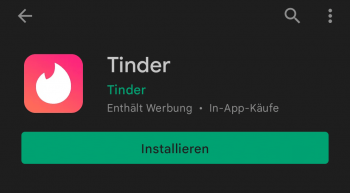
1. install Tinder app on Android

You can skip this step if you use an IOS based smartphone from Apple. If you have an Android based smartphone, you have to go to the Play Store search for the app Tinder and then install it. As you can see in the image below:

1646142216150-pl883b3l0z0kwd0rf1dfoqb2stic7xiyl7x596vlze.png

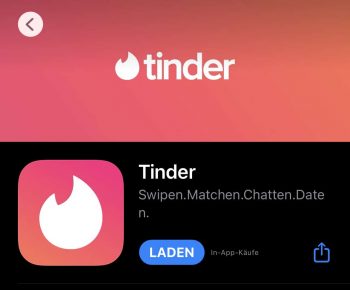
1.1 Install Tinder App on IOS

You can skip this step if you use an Android based smartphone. If you have an IOS smartphone from Apple, you have to go to the Apple Store search for the app Tinder and then install it. As you can see in the image below:

IMG_0001-pl88dki5mv29n446hz1ten3898xl8z9h00ayuxnwt0.jpeg

2. choose a method to register on Tinder

In total, there are 4 methods to be able to create a new Tinder profile. This is different depending on the device. With an Android smartphone, you can additionally register with Google, and with an Apple IOS smartphone, you can register with your Apple id. These methods are available:

1646142853262-pl88ibkssmydwumesg39sxfap4e3utqvyol09ildru.jpg

You always have to enter a phone number, all other methods are additional on top. Therefore, this method is also the fastest to create a new Tinder account. This is also always the method I prefer.

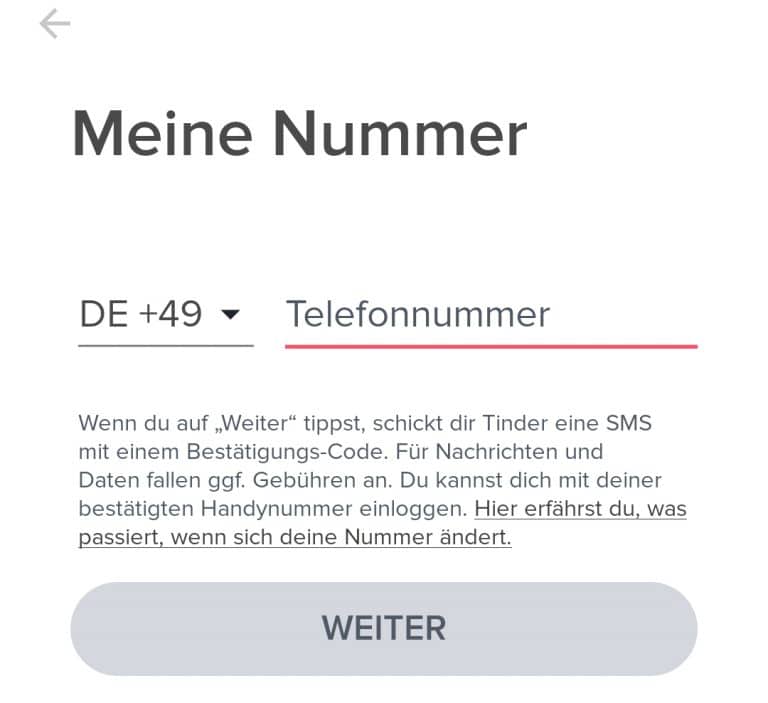
When you select the "Log in with phone number" button, a new interface will appear as shown in the picture below:
1646143706174-768x703.jpg

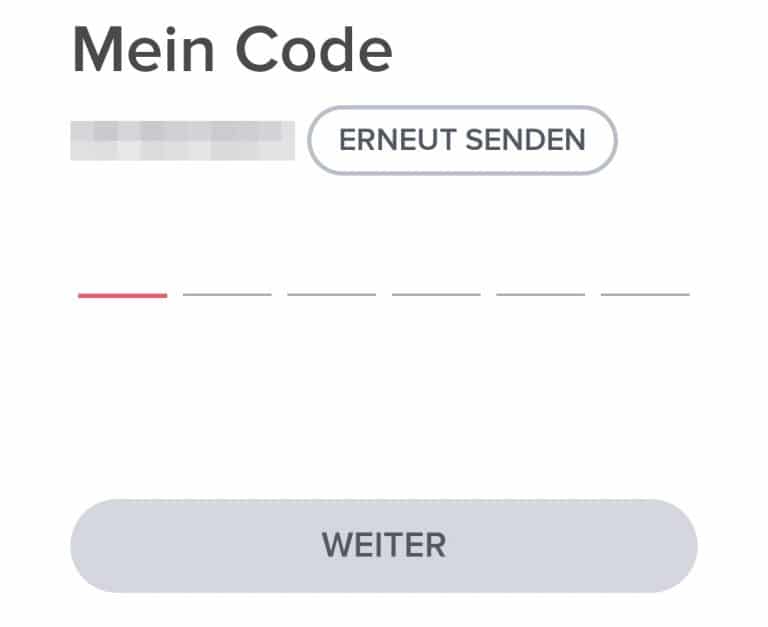
There you have to enter your phone number (without leading 0). Then you will receive an SMS with a code from Tinder. The good thing is that the code is entered automatically. If this is not the case, you can also do it manually. This looks like the picture below:
code-768x627.jpg

2.1 Register with Google (Android only)

The method with the phone number is the fastest and must be performed in addition to the Google login. If you want to create a new Tinder profile as soon as possible, you should only perform point 3.1.

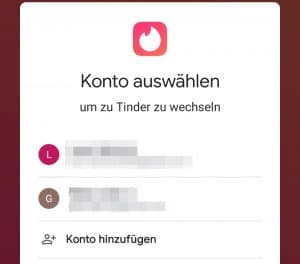
If you select "Sign in with Google" a dialog opens where you can choose between your Google mails. This looks something like the picture below:
1646143706174-768x703.jpg

If you have selected an email address, you will need to enter and confirm your phone number as described in point 3.1.

2.3 Register with Apple ID (IOS only)

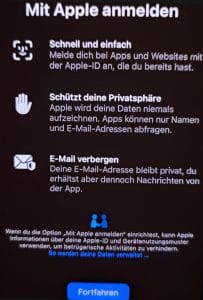
When you select "Sign in with Apple ID", a dialog opens where you have to confirm that you want to continue with "Sign in with Apple":
1646143706174-768x703.jpg

2.4 Register with Facebook (pair of advantages)

The method with the phone number is the fastest and must be performed in addition to the Google login. If you want to create a new Tinder profile as soon as possible, you should only perform point 3.1.

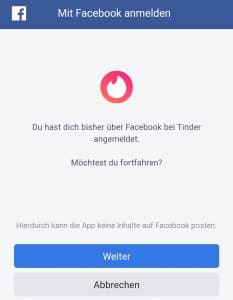
When you select "Sign in with Facebook", Facebook opens where you have to confirm again that you want to continue with Facebook:
1646144103280-233x300.jpg

Once you have confirmed the Facebook window, you will need to enter and confirm your phone number as described in point 3.1.

Conclusion

Creating a Tinder account only takes a few minutes, and getting the basics right from the start pays off. Take your time with your photos and bio — a strong first impression is what earns you more matches once you're set up on Tinder.

Tinder is a registered trademark of Match Group, LLC. This site and its operators are independent and are not affiliated with, endorsed by, or sponsored by Match Group, LLC. All trademarks and screenshots referenced on this page remain the property of their respective owners and are used here for identification and educational purposes only.